Features
Everything your practice needs in one workspace
A walkthrough in three parts — every screenshot below is the real product.
01 · Dashboard
Your day starts here
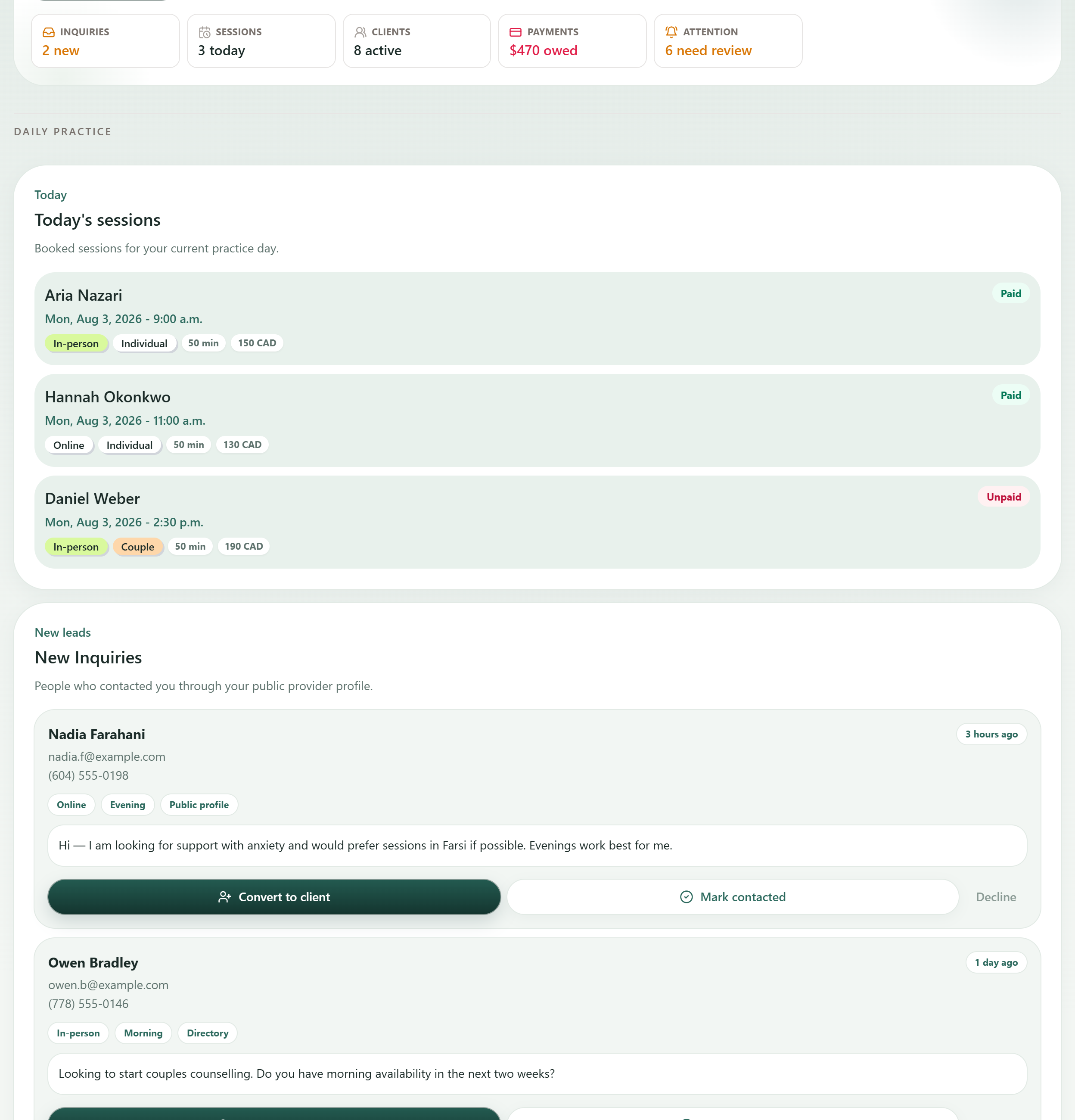
One screen when you sign in: what is booked today, who has just got in touch, what is owed, and who has gone quiet. No hunting through tabs before the first session.
Inquiries, sessions, clients, payments, and attention — each a live number, each a link straight to the list behind it.
Every session for the day with format, length, fee, and whether it has been paid.
People who contacted you through your public profile, answerable without leaving the dashboard.
02 · Sessions & payments
Sessions, payments, receipts
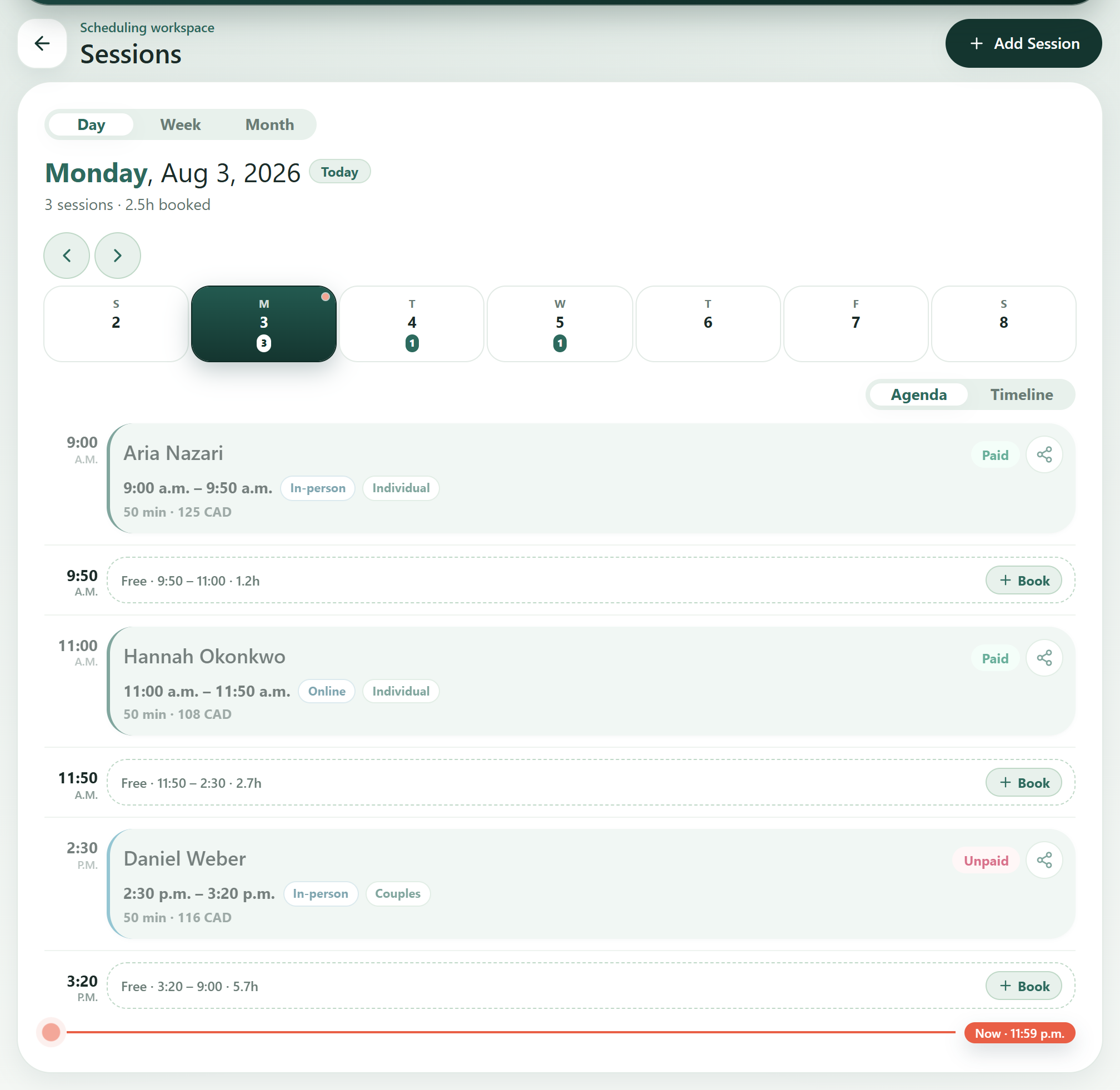
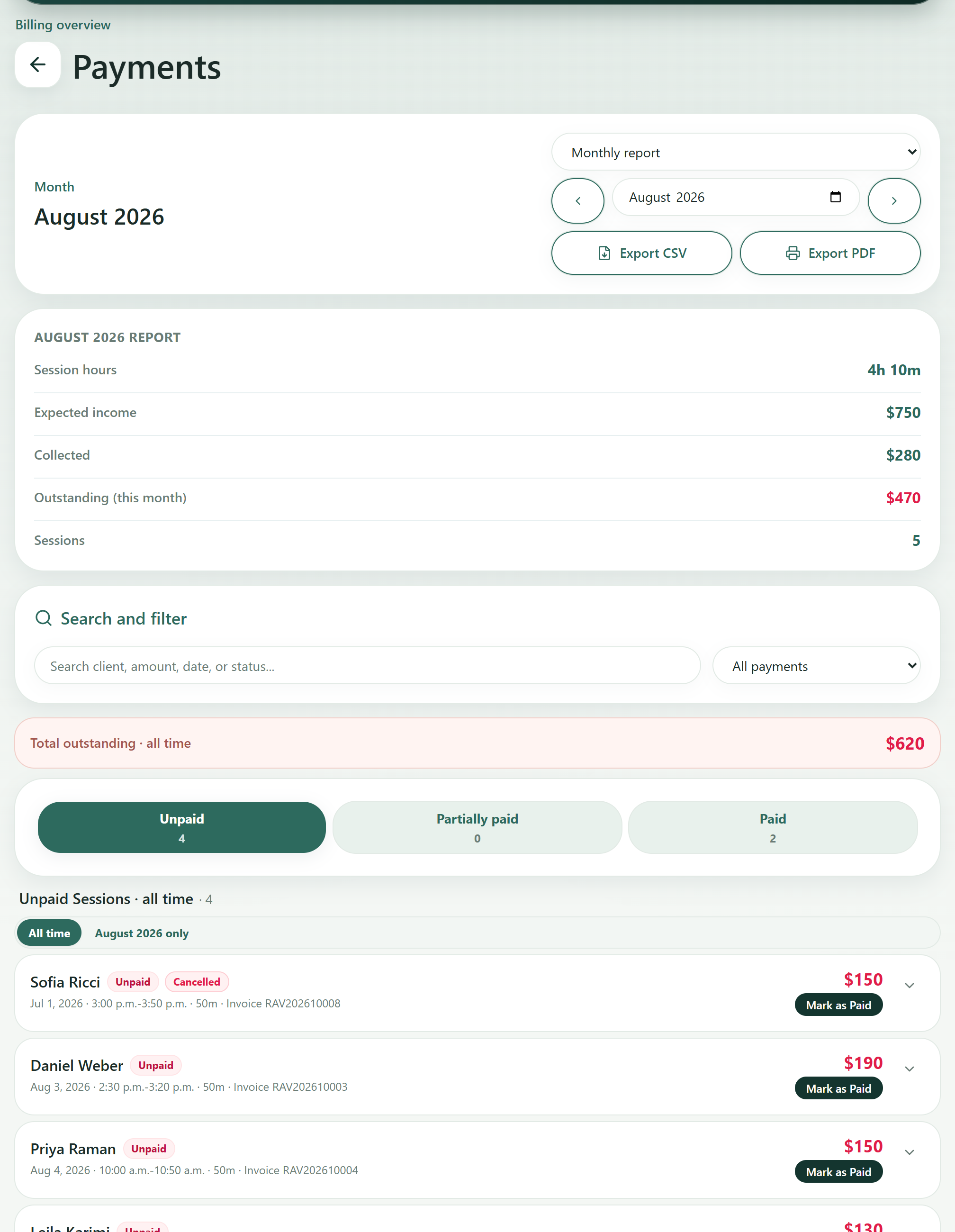
The ordinary running of a practice: a calendar of what is booked, a record of what has been paid and what has not, and professional receipts your clients can submit to their insurer. This is table stakes — it works, and it stays out of your way.
03 · Public profile
Your public profile
One clean professional page you control — registration number, languages, session formats, and fees, listed in the Ravanika directory. Included in every plan, so there is no separate directory subscription and no separate website bill.
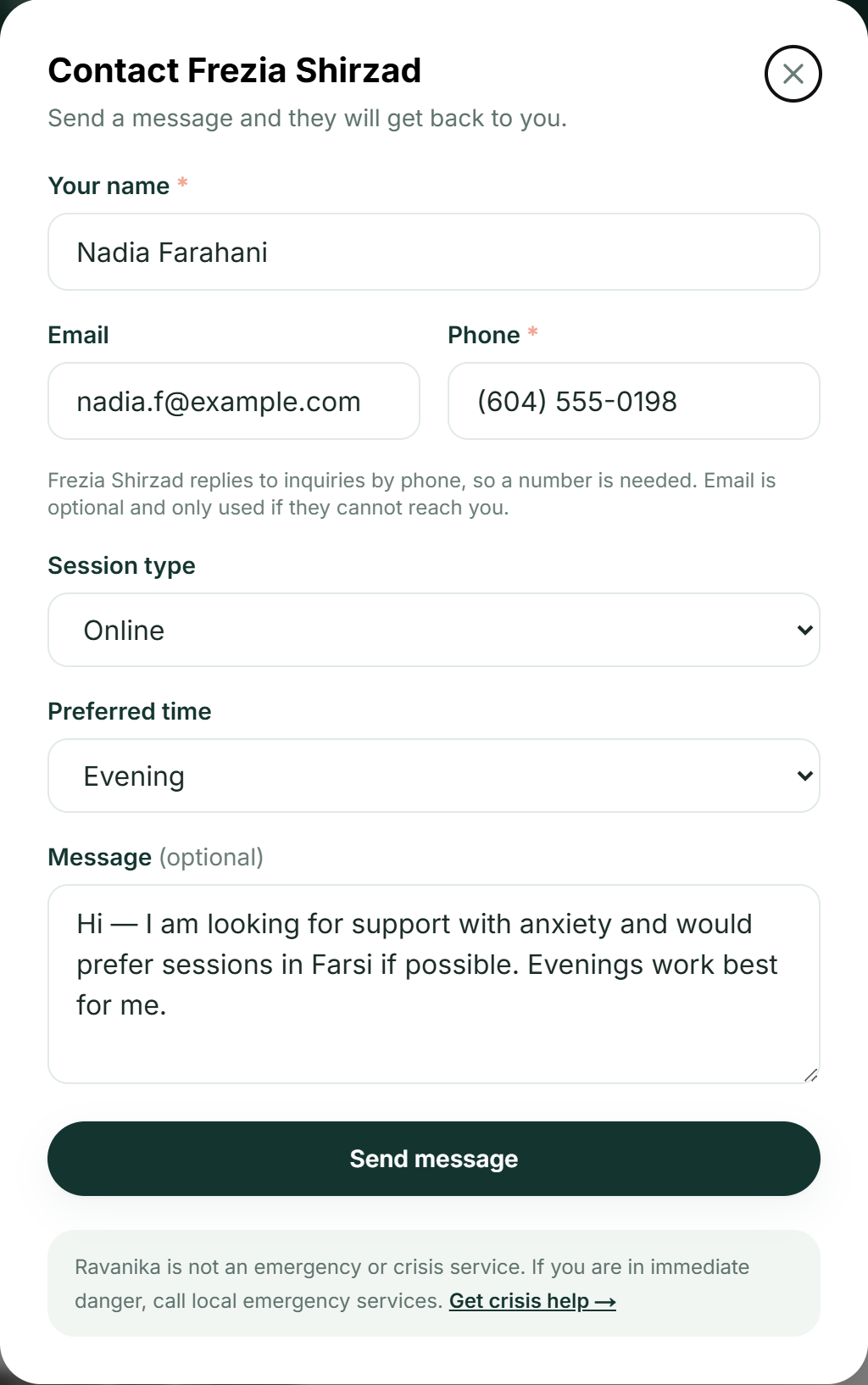
The Contact button on this page is where inquiries begin: a message sent from it arrives in your panel already tracked, which closes the loop between being found and having a new client — the next section shows that journey step by step.
Browse the directory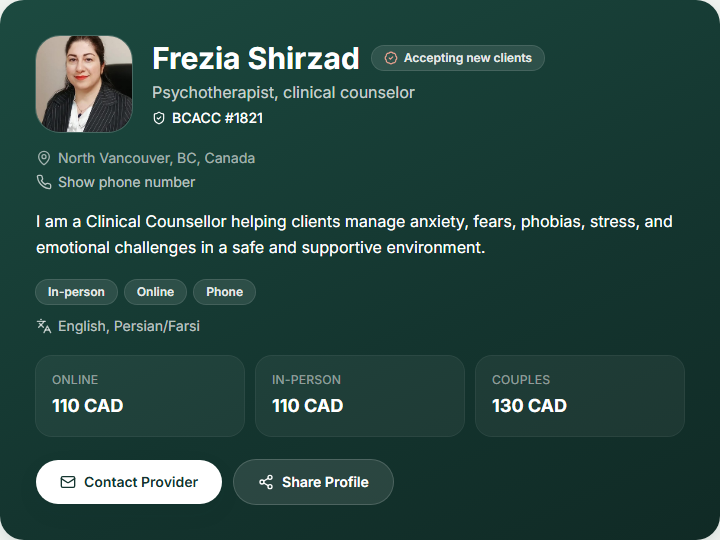
04 · Inquiries
New clients reach you
Someone finds your public profile, sends a request with the session type and time that suits them, and it lands in your workspace — not in an inbox where it competes with everything else and quietly gets buried.
1. They find your profile
2. They send a request
3. It lands in your panel
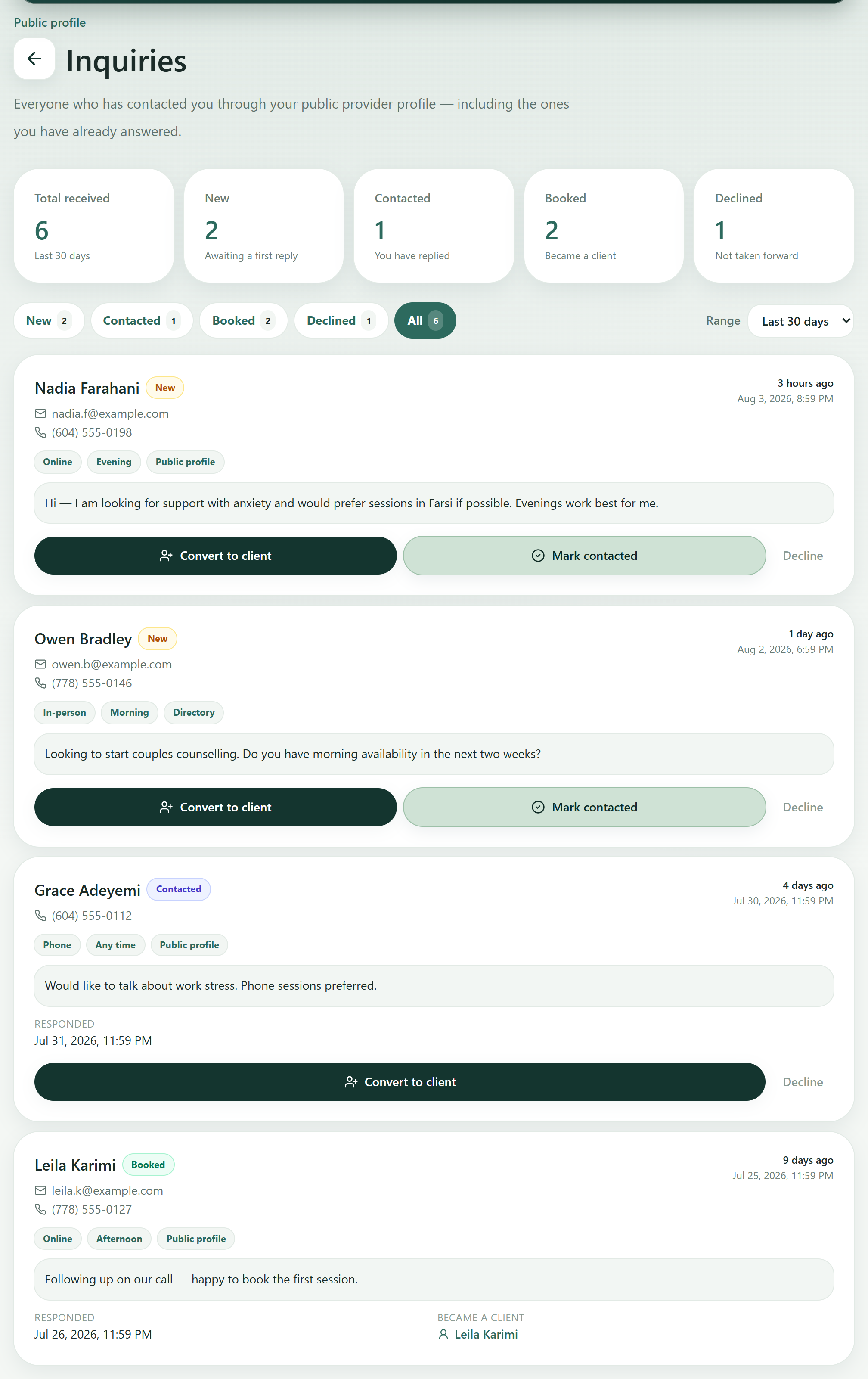
Nothing sits lost
Each inquiry carries a status — new, contacted, booked, or declined — so you can see at a glance who is still waiting on a reply, and the summary counts tell you how many arrived and what became of them over any date range.
One step to a client
Convert to client creates the client record from the inquiry and links the two, so months later you can still answer where someone came from. Inquiries appear in the panel; there is no email or SMS notification yet.
05 · Client Attention Center
No one slips away
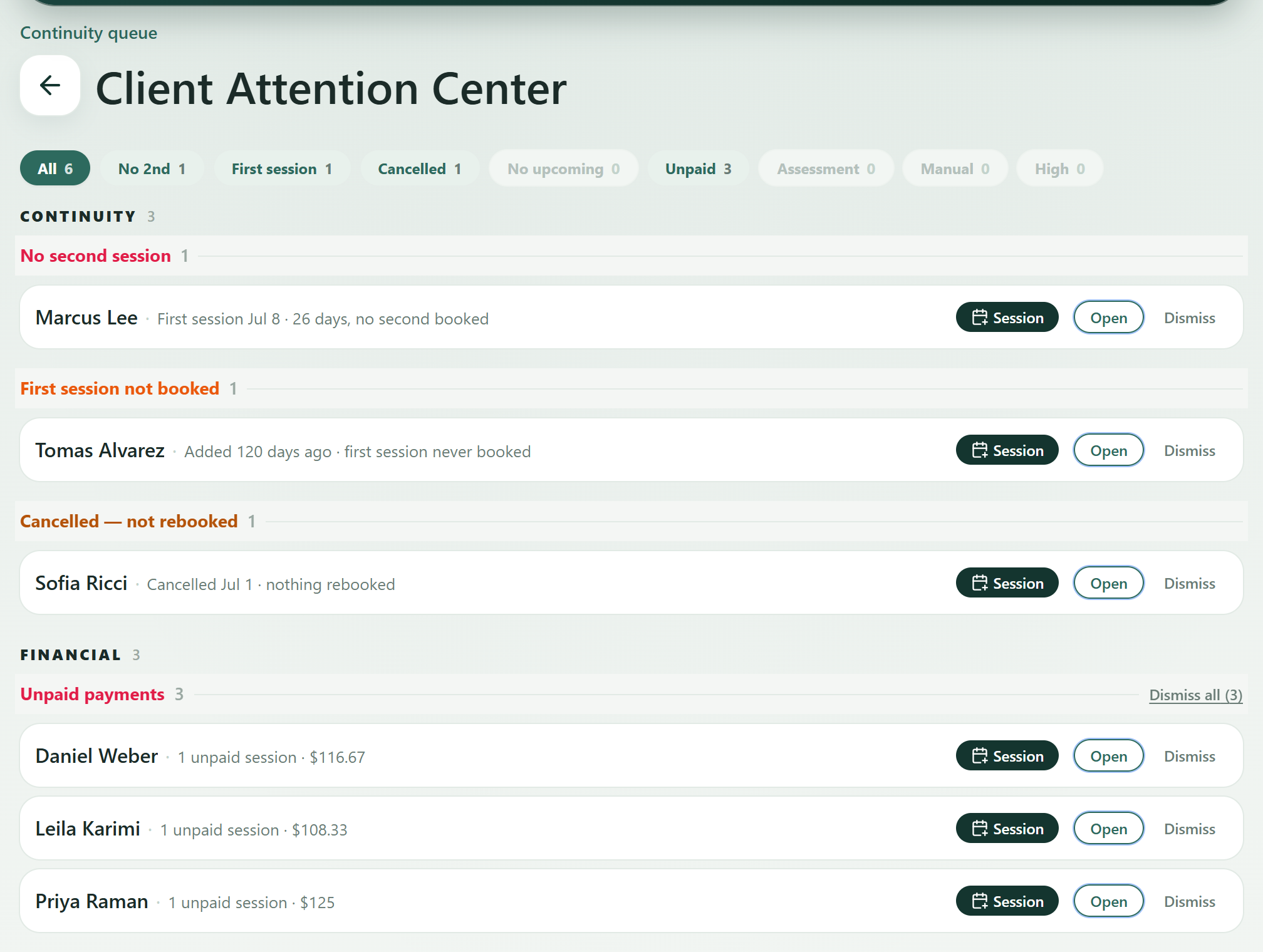
The Client Attention Center is a queue of clients the practice has quietly lost track of. It is built from your own sessions and payments — nothing to tag or maintain.
- No second session — A first session happened; nothing was booked after it.
- Cancelled, not rebooked — A session was called off and never replaced.
- Unpaid — Sessions delivered but still outstanding.
- Manual follow-up — Anyone you flagged yourself, with your own note.
06 · Assessments
Assessments without the add-on fee
Validated instruments are assigned from the client’s record, completed through a secure link, and scored automatically — with the result attached to the client’s history. Included in every plan, the Free plan too, at no extra cost.
PHQ-9
Depression severity
GAD-7
Anxiety severity
DASS-21
Depression, anxiety & stress
PCL-5
Post-traumatic stress
Plus a growing library assembled into packages you can assign in two clicks.
07 · Communication
You control every message
Ravanika does not automatically send SMS messages to clients. Client-facing SMS messages are sent only when the provider chooses to send them, and consent should be confirmed before sending.
- No automatic client SMS
- Optional provider action
- Privacy-safe wording
- Useful for payment requests and appointment updates
Start free. The full workspace is CA$39 a month
Free covers a public profile, up to 5 active clients, and validated assessments at no extra cost. Professional is CA$39/month for up to 50, with SMS reminders and the Client Attention Center included. See the plans.
Request accessInvite-based — request access and we’ll help you get started.